Custom dashboards for trade and civil contractors
Your own dashboard, built around your business.
Your jobs, quotes, money and documentation on one page, set out the way you think and for the people who use it.
Most mornings start in four places. The job app, your inbox, the spreadsheet and your phone.
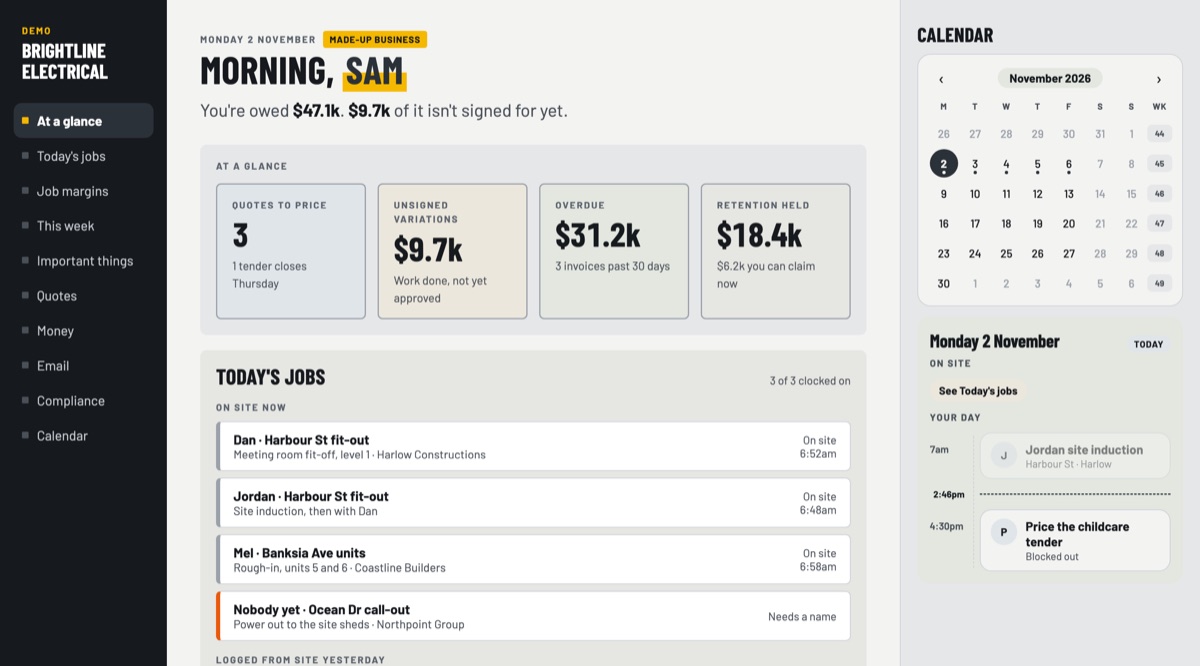
I build a dashboard made for your business, so the information you need sits on one page, on your computer or your phone, set out the way you think and for the people who use it. Brightline Electrical, below, is one example of how one can look.
 Open the demo
One example, for a made-up electrical business. Yours would look completely different.
One example Brightline Electrical, a made-up business
Open the demo
Built around your business.
Most software is made for everyone, so the business ends up bending to fit it. Yours starts from scratch, around three things.
Your jobs, your tools and your colours. It shows what you actually check, laid out the way your work moves.
Who's on site, who checks what and who signs off. It follows how your team already works.
What matters most to you sits at the top, set out the way you think about the day.
One idea, built differently every time.
It started with Frankie. Each one since is shaped around a different business and the way its people work, so no two look the same.
1 of 4
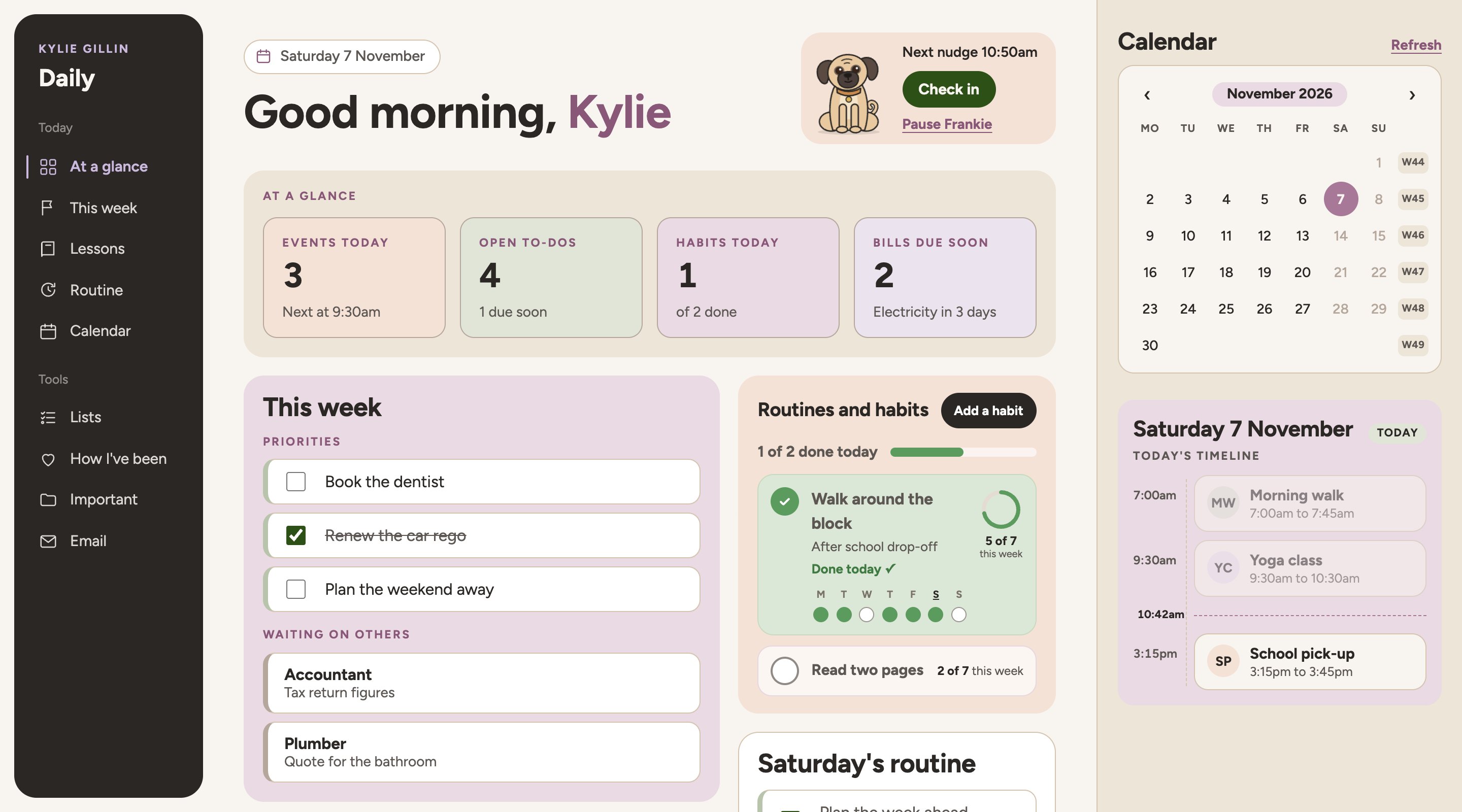
Where it all began
The Frankie dashboard
I built the first one for my own days, with a pug called Frankie who nudges me to stretch, eat and check in on how I'm going. Every dashboard since starts from the same idea, one page set out the way the person thinks.
If you're after the original Frankie dashboard, head to Even Flow Lifestyle MedicineJobs and money first
Brightline Electrical
Made-up businessAn owner and a small crew of electricians. Built around today's jobs, the money owed and the variations waiting to be signed, with notes and photos from site turned into drafts to check.
Click around this oneClick around this one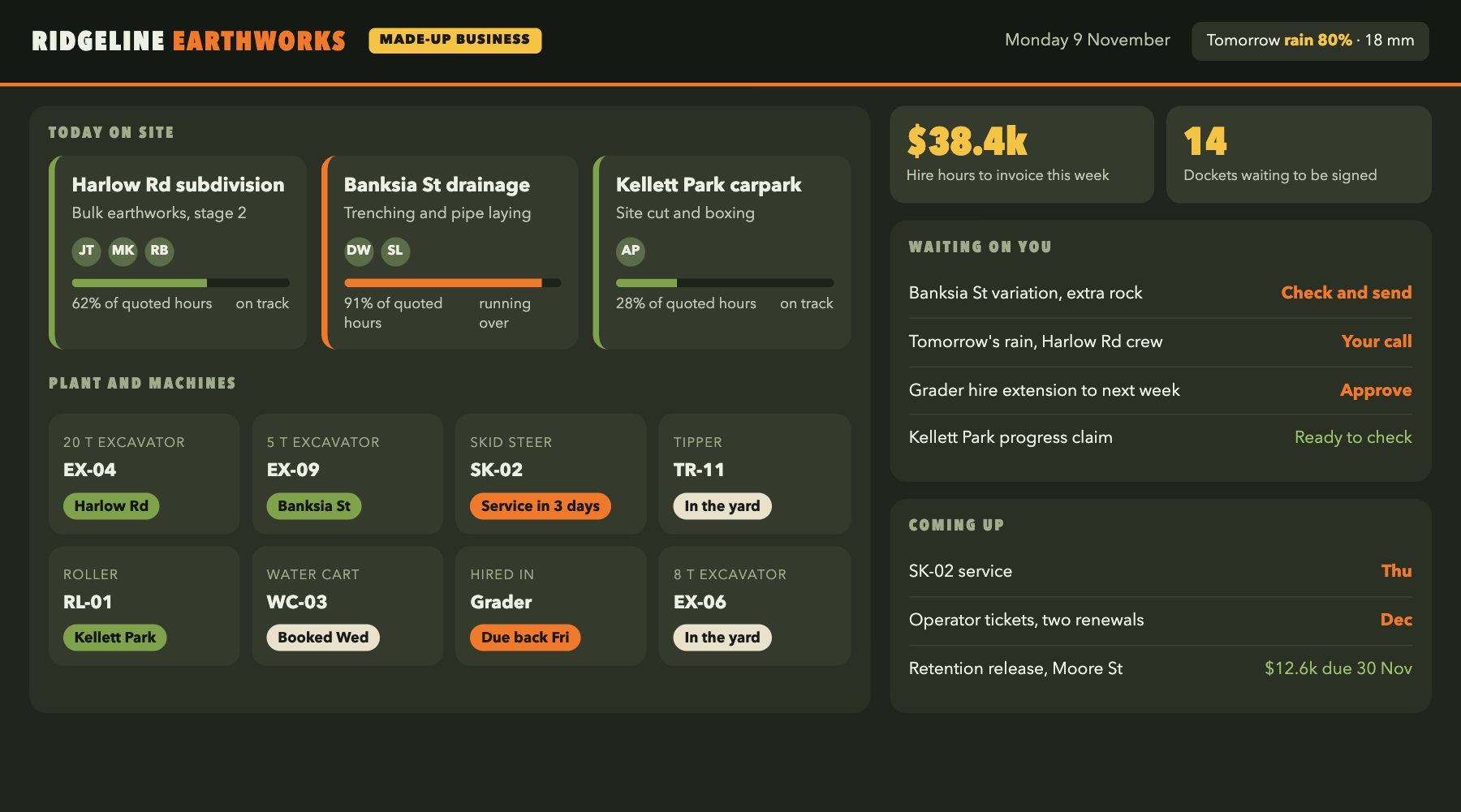
Sites and machines first
Ridgeline Earthworks
Made-up businessA civil crew that thinks in sites and plant. Where every machine is, which site is running over its quoted hours, the hire hours to invoice and tomorrow's weather, in dark colours that read well in a site office.
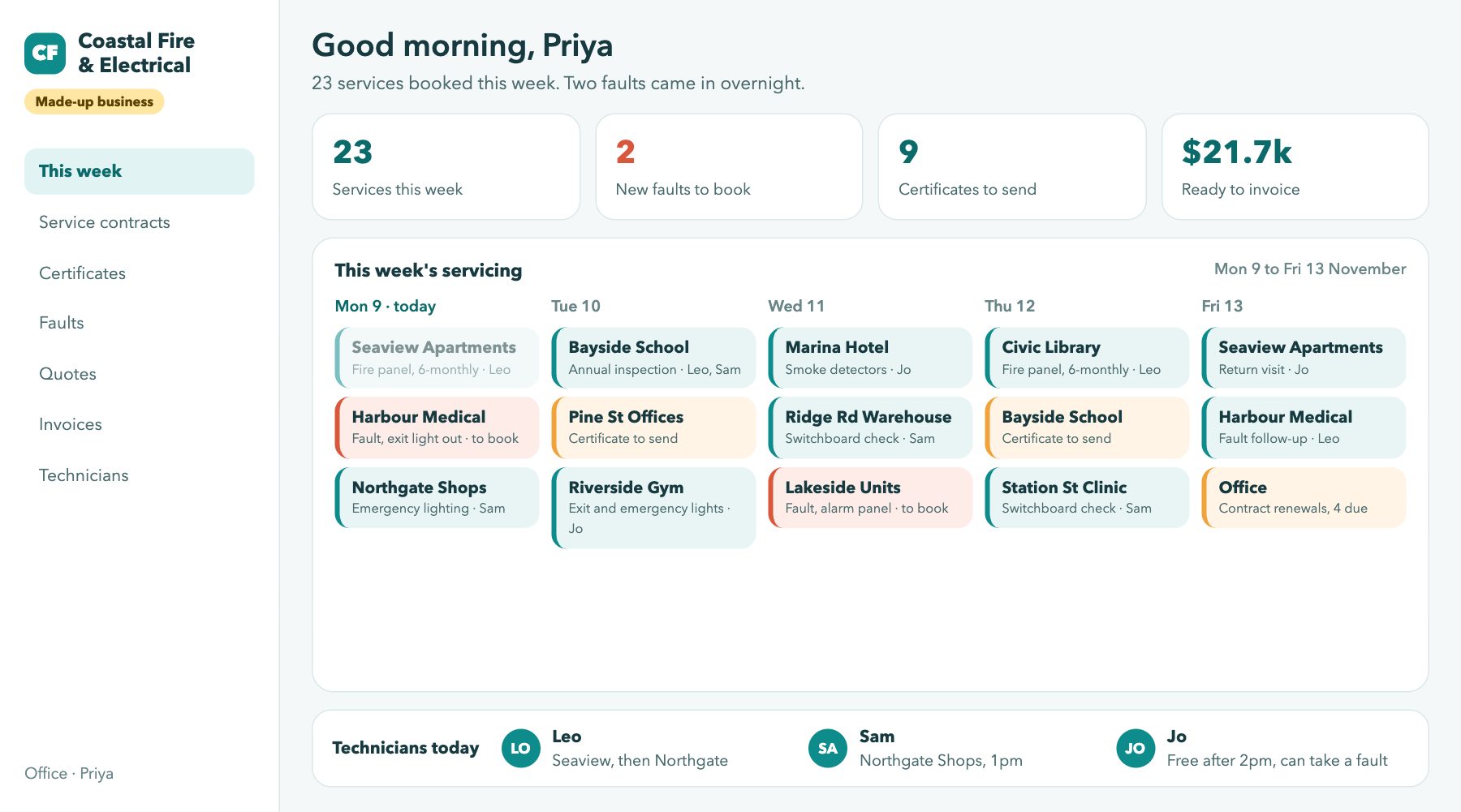
The service calendar first
Coastal Fire & Electrical
Made-up businessA maintenance business run from the office. The week's servicing laid out day by day, faults to book, certificates to send and which technician is free to take a job.
What yours could show.
Anything you check to run the business. These are a few ideas, and yours would be built around your own.
Today's jobs, who's where, and which jobs are running over their quoted hours.
Quotes waiting to go out, progress claims, overdue invoices and retention still held.
Variations waiting for sign-off, compliance items, and licences coming up for renewal.
Emails waiting on you, the calendar, supplier orders and the links you use every day.
Through a working day.
One example, from the Brightline demo. Yours would follow your own day, your own jobs and your own tools.
- First thingOne page to open
Today's jobs, who's where and what's waiting on you, before the phone starts ringing.
- On siteA note from site becomes a draft
An electrician sends a quick note and photos about extra work, and a variation is drafted for the owner to check and send.
- Halfway through a jobRunning over shows up early
Where the job app records hours, a job using more than it was quoted for is flagged while there's still time to do something about it.
- End of the dayWhat's still your call
Anything that needs a decision sits at the top, so nothing goes out until you've checked it.
It shows what's ready. You make the call.
It puts the jobs, money and documentation in one place, shows what's waiting on you, and has drafts ready to check. It won't send your quotes, approve a variation or decide what matters today. Nothing goes out until a person has checked it.
Is it the right fit?
Working out whether a dashboard would help is part of the call, so you don't need to arrive knowing.
A trade or civil contractor that's already running, checking three or four places every morning to know where the jobs and the money are, with the owner or office manager pulling it together.
Anyone after ready-made software off the shelf, or who needs IT support. Setup, access and approvals stay with your business.
Questions about dashboards.
Can you build one for my business?
Most likely. Each one is made to order, so before anything is built I check what your tools allow and what can connect, then tell you honestly what's possible.
Do I need to be technical?
No. You need to know how your business runs and what you check each morning. I take it from there.
Does it work on a phone?
Yes. It opens on your phone as well as your computer, so you can check the day from site, between jobs or on the way home.
Which tools can it work with?
The ones you already have, where they can connect, such as your email, calendar, accounting software and job app. Not every tool can connect, so some parts may start as a quick manual step, and I tell you which before you decide.
Does it have to look like Brightline?
No. Brightline is one example. Yours is designed around your business, your people and the way you think, in your own colours.
Where does our information go?
It stays in your business's own accounts. Before anything is connected, I explain what the dashboard can see, and you decide.
Who looks after accounts and access?
You do. Accounts, access and approvals stay with your business, and I tell you beforehand exactly what is needed.
Can you tell us what to put in our tenders or SWMS?
No. You and your advisers decide what goes in your tenders, SWMS, claims and variations. The dashboard keeps track of the work around those documents, and I don't give legal, safety or tender advice.
Want one built for your business?
Talk me through how your business runs and what you need to see, and I'll tell you what yours could look like.
Book a 30-minute AI call$250 · 30 minutes. Comes off your next booking if you take it within 60 days.